Buyers Edge Platform~2 min readDesign Systems
Designing a Workflow for Humans and AI
TL;DRDuring our migration from Shoelace to Web Awesome, I implemented an AI-assisted design-to-code workflow, preserved our existing design language, and built improvements to our component library and production code.
01Challenge
Evolving the system. Rethinking how we build.
Our original component library, Shoelace, was being sunset in favor of Web Awesome. We needed to migrate without losing our existing design language.
The challenge went beyond replacing components:
- Architecture: Decide what to retain, adapt, or retire while both libraries coexisted.
- Consistency: Minimize design drift across Figma, code, and the style guide.
- Workflow: Develop an AI-assisted design-to-code approach our team hadn't used before.
Following each token from primitive to component
01Existing primitives
02Web Awesome roles
03Components
02Design to Production
Starting with Figma. Moving closer to code.
I developed and implemented an AI-assisted workflow that evolved from creating components in Figma to building them directly in code.
Figma-first
I used Claude to create components in Figma before gaining development access.
Figma to code
Once I had access, I implemented those existing Figma components in code.
Code-first
I began implementing components directly in code with Claude, then aligning Figma.

Shared context
I created .md files in our shared repository covering design tokens, component status, and Figma workflows to keep designers, developers, and AI agents aligned.
Making a growing library easier to navigate.
As the component library grew, finding components became harder. I reviewed navigation patterns in other libraries, then designed and implemented search in our internal style guide to improve discoverability.
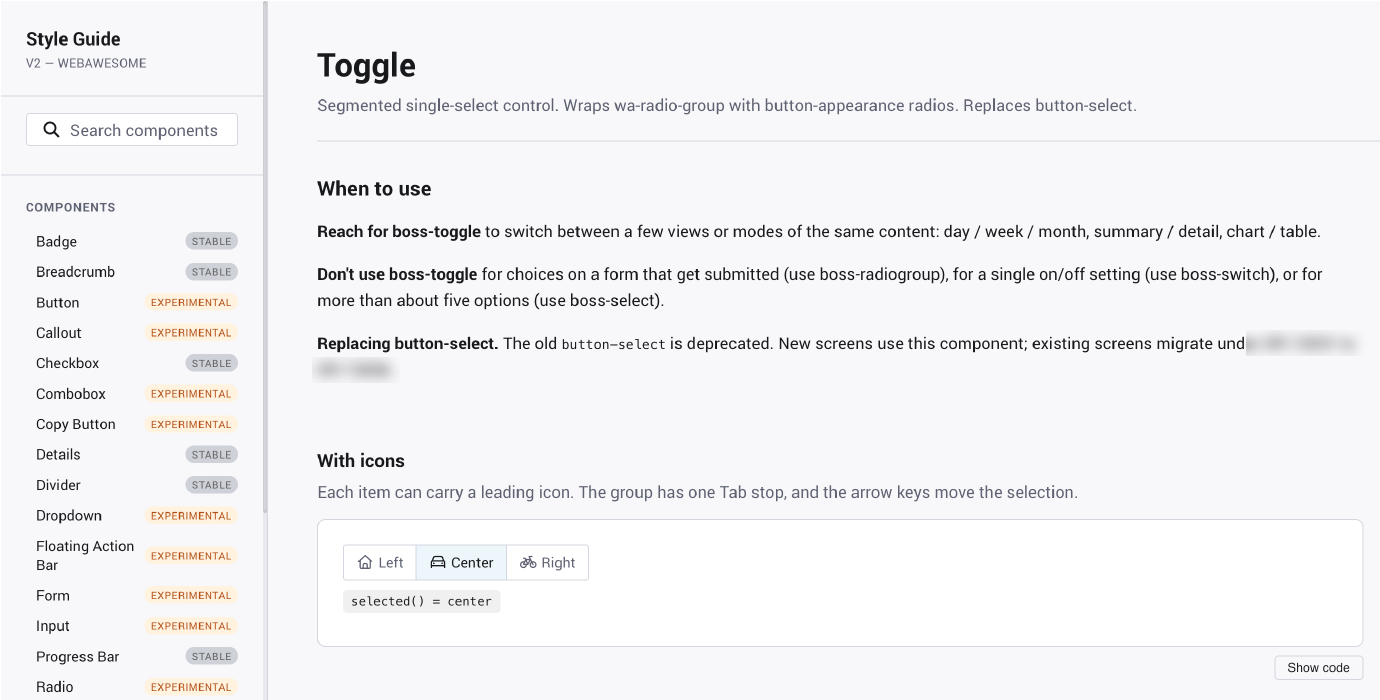
From handoff to PR reviews.
With engineering lead Tom Horn helping set up my development environment and reviewing my PRs, I designed and implemented components directly in code with Claude.
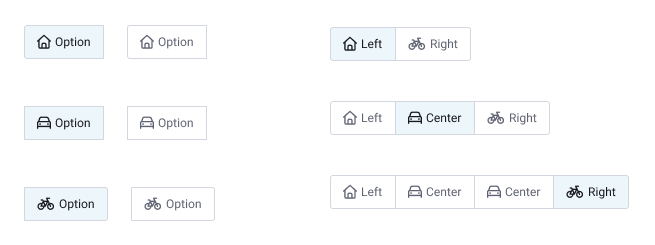
During PR review, Tom’s AI agent flagged Radio Group as a cleaner alternative to extending Button Group. Tom and I evaluated both approaches, agreed on Radio Group, and I shipped Toggle to production.
FigmaToggle, from the build
Code reviewTwo approaches
<wa-button-group label="View">
  <wa-button>Month</wa-button>
  <wa-button>Quarter</wa-button>
</wa-button-group>
<wa-radio-group label="View">
  <wa-radio value="month">Month</wa-radio>
  <wa-radio value="quarter">Quarter</wa-radio>
</wa-radio-group>
Flagged in PR review and evaluated together. Simplified examples, not production code.
03Impact
A foundation, not a finish line.
A component pipeline that brings designers into the full lifecycle, from design through production.
Production delivery
1 month
to get multiple components into production
Design system
Figma and Claude
tokens, Figma components, and the style guide
Repeatable workflow
Design → Production
a pipeline the team can keep building on
“She jumped in feet first and built out how we use AI within our design team, and her efforts laid a foundation that will continue to be built on.”
Liz Cole · VP of UX